Never lose a bookmark again
Back up, find, and organize your Chrome bookmarks. Everything stays on your device.
Your bookmarks deserve better tools
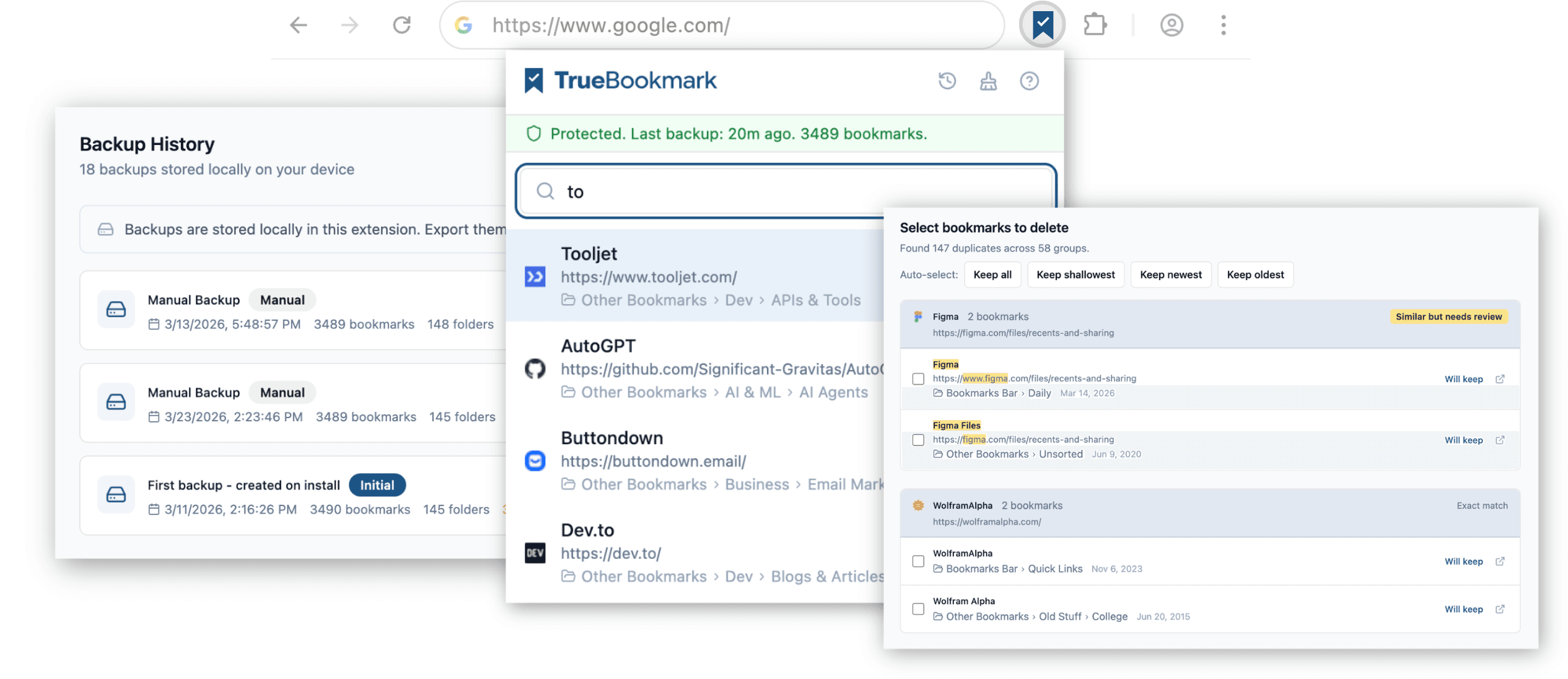
You have saved hundreds of bookmarks over the years. Most bookmark tools want you to migrate everything to their cloud, create an account, or replace your workflow entirely. TrueBookmark works with the bookmarks already in Chrome and adds what is actually missing: local backup with full restore, instant search across your entire library, and safe cleanup with undo on everything. No account required. No uploading. Your bookmarks stay right where they are.
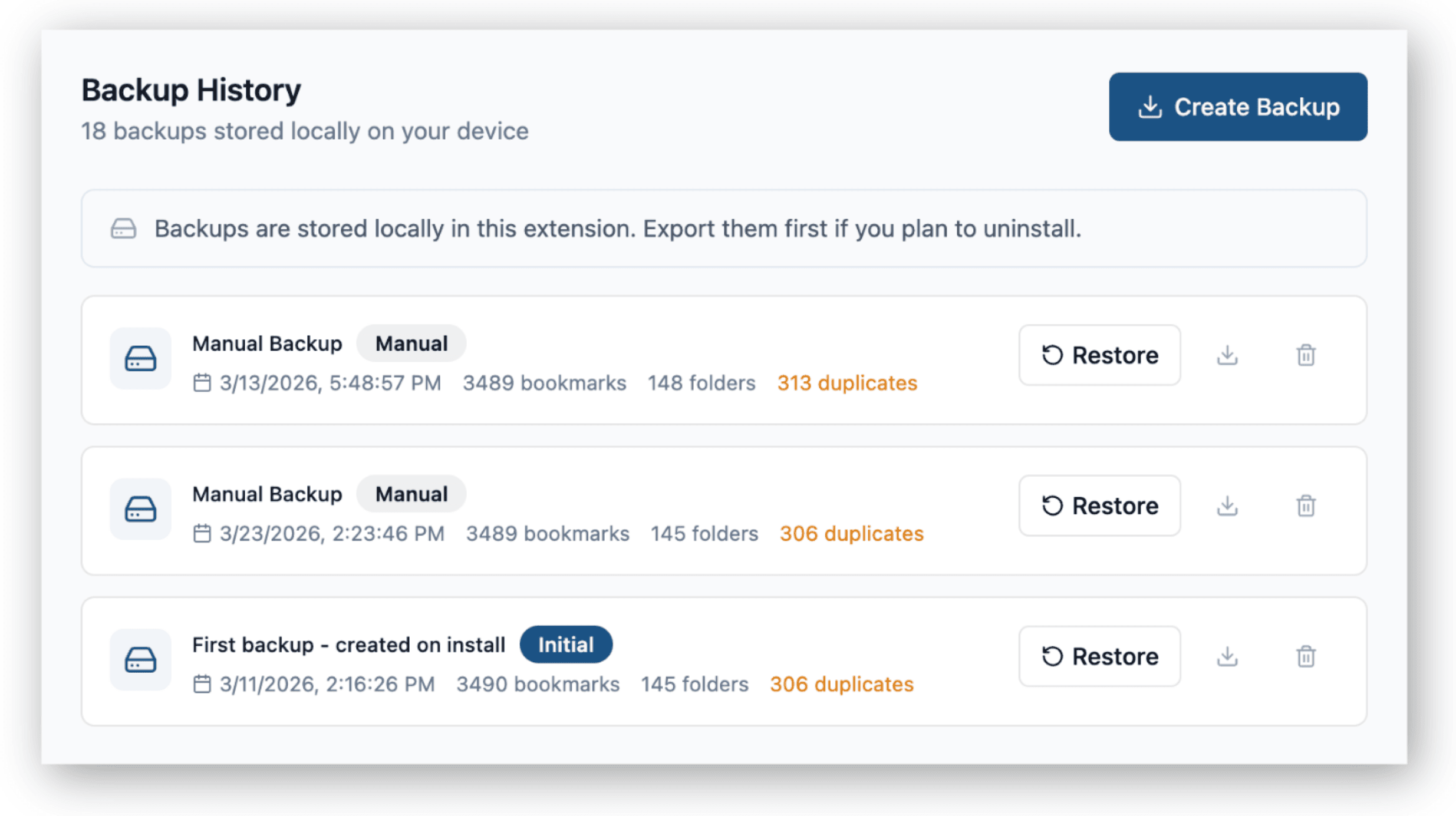
Your bookmarks, always protected
Create full backups of your bookmark library and restore to any previous state. No account needed. Backups are never locked behind a paywall.
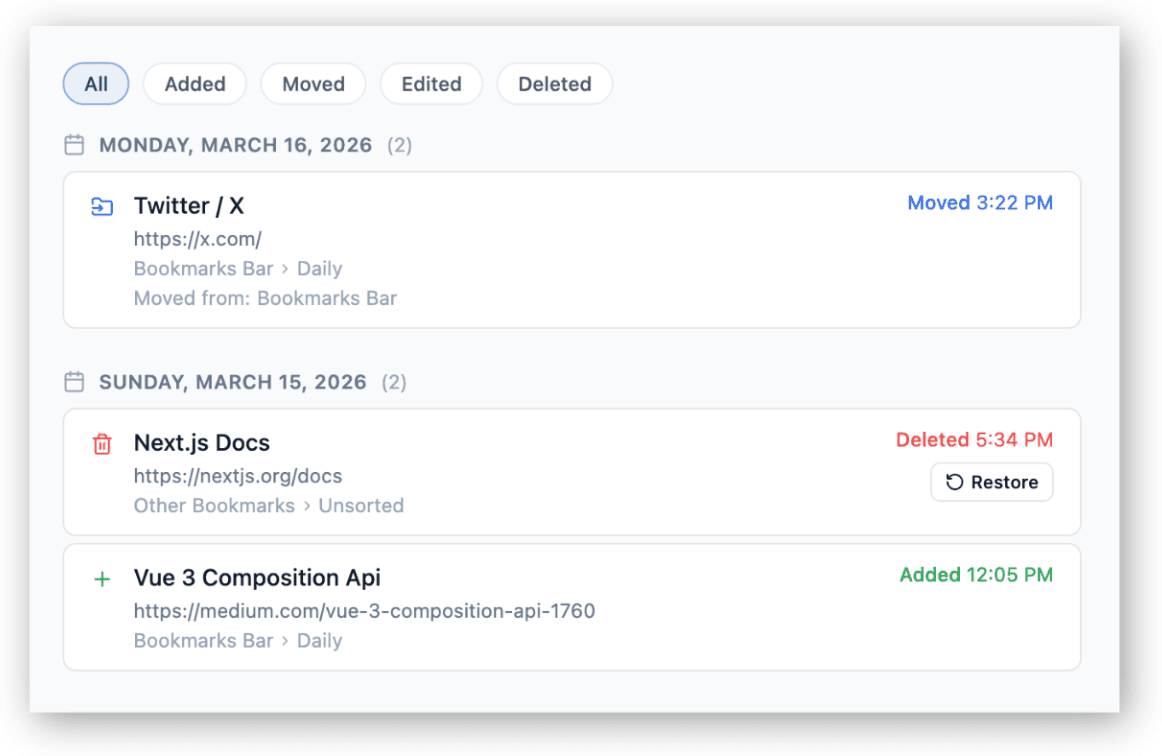
See everything that changed
Every bookmark added, moved, edited, or deleted is recorded. Accidentally deleted something? Filter by action type and restore it with one click.
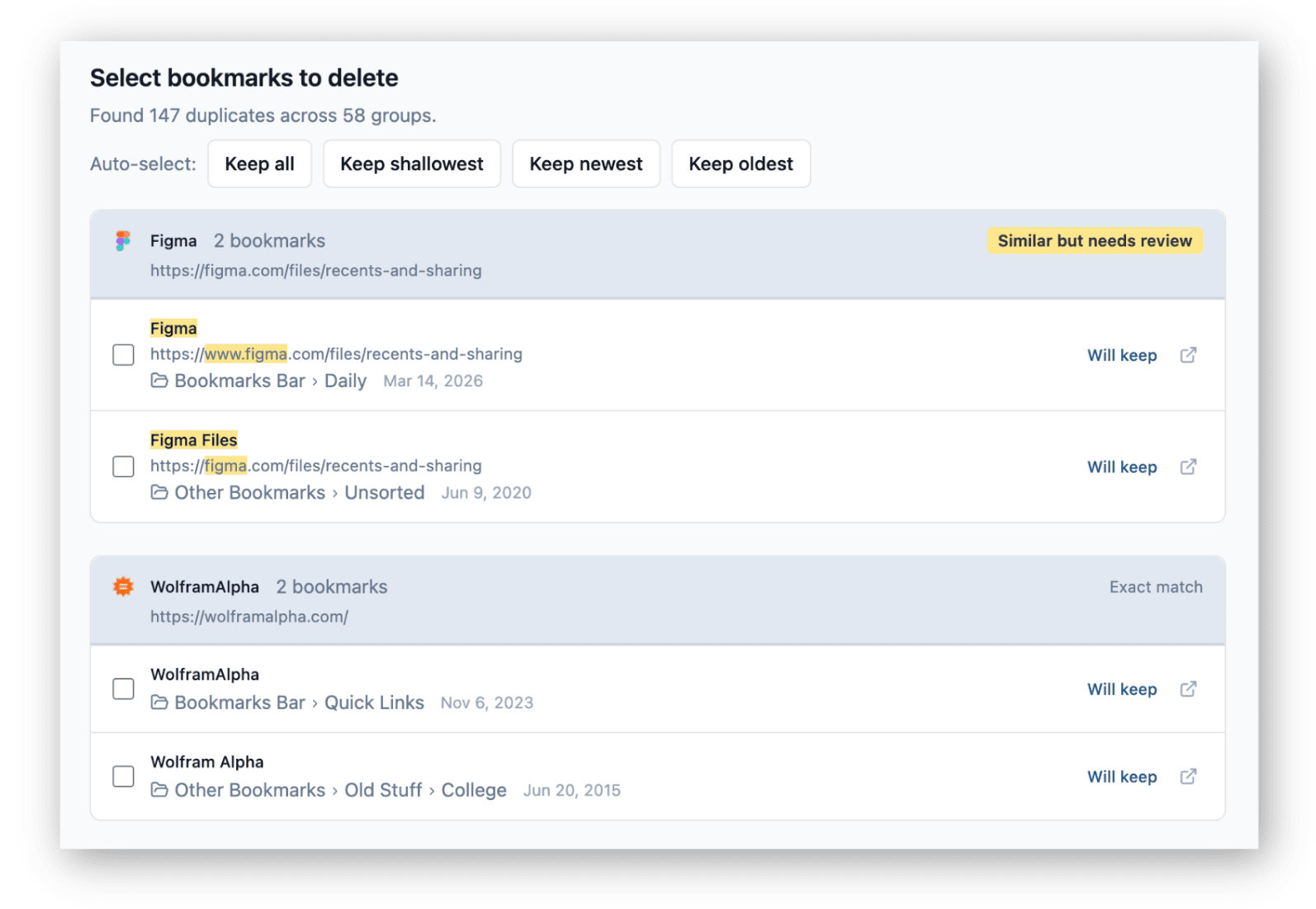
Clean up without fear
Find duplicates and empty folders with one scan. Preview every change before it touches your bookmarks. A safety backup is created before any cleanup, and every action can be undone.
Stop digging through folders
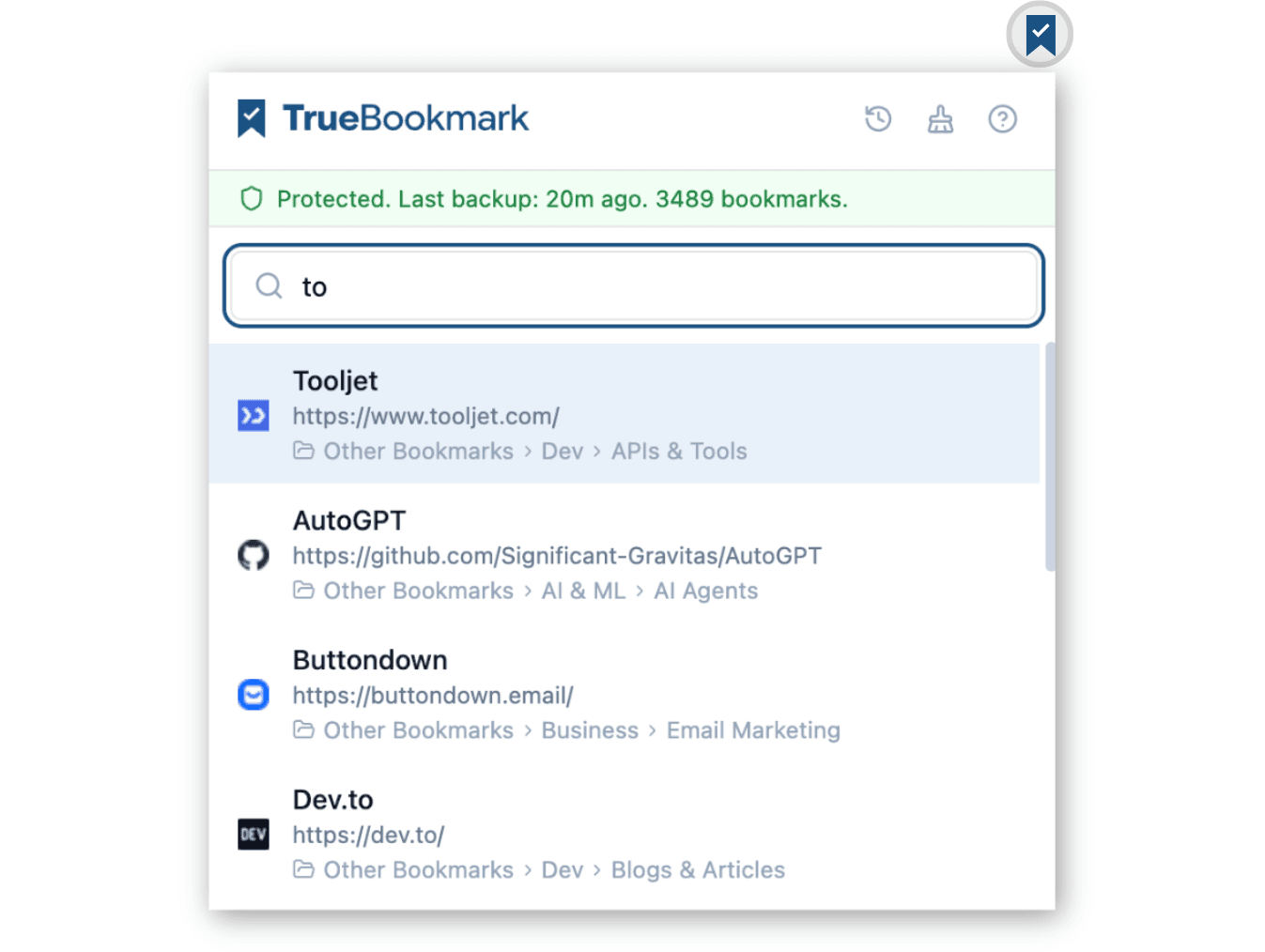
Open the popup and start typing. TrueBookmark searches titles, URLs, and folder paths all at once. Results come back instantly. No new tabs, no context switching.
Chrome bookmark guides
Practical, tested guides for backing up, restoring, organizing, and finding your Chrome bookmarks.
How to Back Up Chrome Bookmarks
Export your bookmarks to a file, verify the backup, and know when manual exports are not enough.
How to Restore Bookmarks in Chrome
Recover lost bookmarks using Sync, the Bookmarks.bak file, or an HTML import.
How to Find Bookmarks in Chrome
Every search method Chrome offers, what each one matches, and where they fall short.
How to Remove Duplicate Bookmarks
Find and safely remove duplicate bookmarks without deleting the wrong ones.
How to Organize Bookmarks in Chrome
A folder structure that scales, naming conventions, and when to prune vs restructure.
Bookmarks Disappeared in Chrome?
Diagnose why your bookmarks vanished and recover them before the backup window closes.
Why Are My Bookmarks Not Showing in Chrome?
Bookmarks bar hidden, profile mix-ups, or sync drift - work through the causes in order.
How to Edit Bookmarks in Chrome
Rename, change URLs, move folders, and bulk-edit without breaking your structure.
How to Sort Bookmarks Alphabetically
Sort a folder, the bookmarks bar, or your whole library - and keep it sorted as you add new ones.
Your data stays on your device
TrueBookmark processes everything locally in your browser. Your bookmarks, backups, search index, and cleanup results never touch a server. The only network call is license verification for Pro subscribers, which contains zero bookmark data.
- No browsing history access
- No access to the websites you visit
- No tracking or analytics in the extension
- No data uploaded to any server
Simple pricing. No surprises.
Free covers protection and daily usefulness. Pro adds automation and ongoing monitoring.
Free
$0 forever
- Manual backups and full restore
- Popup search with fuzzy matching
- Duplicate and empty folder cleanup
- Weekly summary and notificationsSoon
- Activity feed with undo (90 days)
Pro
$3/month
or $29/year (save 19%)
Everything in Free, plus:
- Automatic daily backups
- Tiered backup retention
- Full dead link and redirect scans
- Ongoing health monitoring and alerts
- Advanced search filters
- Extended activity feed (365 days)
Frequently asked questions
- What permissions does TrueBookmark need?
TrueBookmark needs access to your bookmarks for backup, search, and cleanup. It also reads website icons from Chrome's local cache - this stays on your device and never sends your bookmarked URLs to an outside service. It does not request browsing history, tabs, or access to the websites you visit.
- Does my bookmark data leave my device?
No. All processing happens locally in your browser. The only network call is license verification for Pro users, which sends no bookmark data.
- How is this different from Chrome Sync?
Chrome Sync copies bookmarks to your Google account for cross-device access. TrueBookmark creates local backups you control, with point-in-time restore, duplicate detection, and organization tools. They work well together.
- Can I use TrueBookmark for free?
Yes. Manual backups, popup search, duplicate cleanup, and weekly summaries are free forever. Pro adds automation and monitoring for users who want less manual work. See pricing.
- How is this different from other bookmark extensions?
Most bookmark tools fall into two camps: cloud managers that require an account and store your data on their servers, or cleanup utilities that offer no undo and no backup. TrueBookmark combines backup, search, and organization in one extension, keeps everything local, and makes every action reversible. No account needed, no data uploaded, no ads.
- Will TrueBookmark modify my bookmarks without asking?
Never. Every action requires your explicit confirmation. A safety backup is created before any destructive action, and you can undo immediately.
- Does TrueBookmark replace my new tab page?
No. Your new tab page stays exactly as it is. TrueBookmark lives in the toolbar icon and opens as a popup or a full-page manager.
- What happens if I uninstall TrueBookmark?
Your Chrome bookmarks stay exactly where they are. TrueBookmark never moves or copies them elsewhere. Your local backups and search index will be removed, so export any backups you want to keep first.
Ready to take control of your bookmarks?
Install TrueBookmark and get backup, search, and cleanup in under a minute.